MEPCO Light
MEPCO is evolving with this ever growing digital world. To keep up with this fast-paced modern world, MEPCO is also providing its consumers with digital services.
MEPCO has provided the consumers with online application called MEPCO Light. This application helps the users to access all MEPCO services from their mobile phone.
In this article, we are going to discuss MEPCO Light in detail:
What is MEPCO Light
MEPCO Light is an official Android application designed by Multan Electric Power Company (MEPCO) to provide easy access to services for electricity consumers in South Punjab, Pakistan.
It enables users to check billing details, view load management schedules, lodge complaints, and apply for new connections directly from their smartphones.
How to create account on MEPCO Light
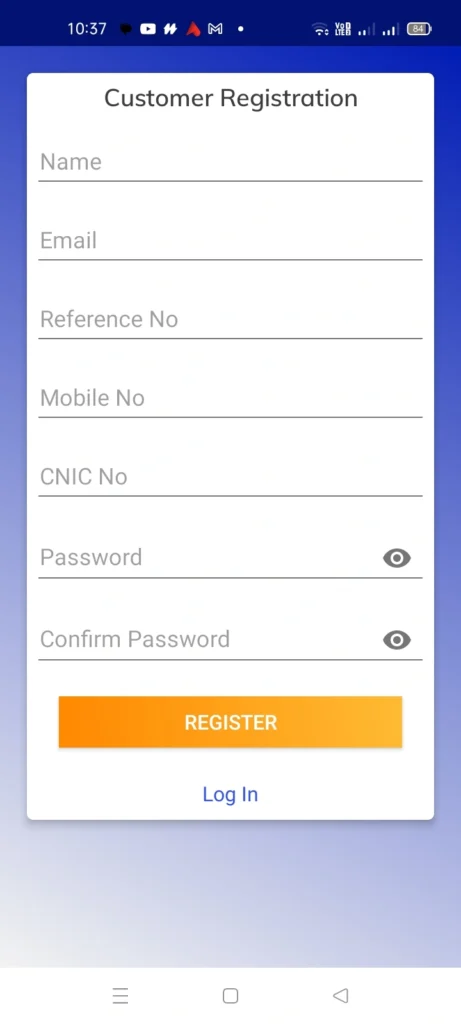
To benefit from all the services of MEPCO Light, it is important for you to create account on this app. To create your account on MEPCO Light, you have to provide the following information:
- Name
- Reference No.
- Mobile No.
- CNIC No.
- Password
- Confirm Password
Once you have provided this information, click the “Register” button, and your account will be created.
How to login to your MEPCO Light account
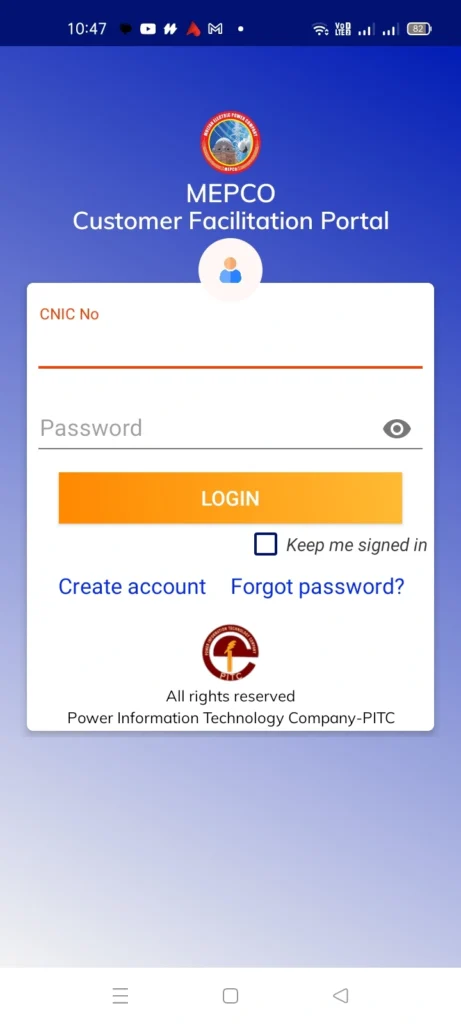
You can easily login to your MEPCO Light account by using your CNIC No. and Password that you provided when you were creating your account.
MEPCO Light Services
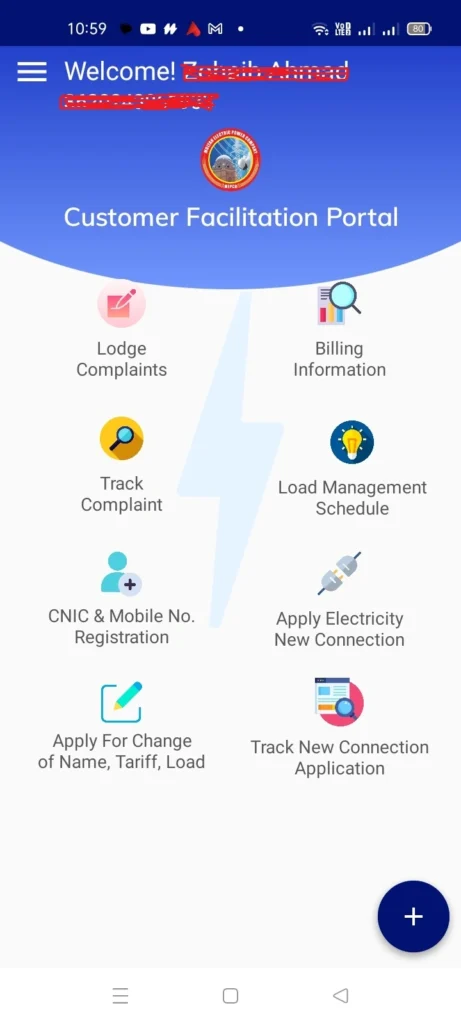
In MEPCO Light, the users can access the following services:
- Lodge Complaints
- Track Complaints
- CNIC & Mobile No. Registration
- Apply for Change of Name, Tariff, Load
- Billing Information
- Load Management Schedule
- Apply Electricity New Connection
- Track New Connection Application
FAQs
Conclusion
If you are an electricity consumer of MEPCO, you must download MEPCO Light. This application will help you in checking your MEPCO bill, downloading the MEPCO duplicate bill in PDF, add complaints, apply for new MEPCO connection etc. from your mobile phone. You can use this application anywhere and anytime you want.