
Electricity is a basic necessity of every household, and MEPCO (Multan Electric Power Company) ensures power distribution across southern Punjab.
Anyone who wants an electricity connection can easily apply for it: online, or at MEPCO’s nearest office. The easiest and and the fastest method of getting your new connection is online by using the MEPCO Smart App.
So if you are wondering how you can apply for new MEPCO connection through this app, what type of MEPCO connection you need at your premises, and how you can track your application approval, all of your questions are answered in this article.
What is MEPCO New Connection?
MEPCO new connection is a process where a new meter is installed at your location where there was no active electricity meter before. This new meter connection is required when you are building a new home, opening a new shop or an office, or setting up an industrial unit.
Types of New MEPCO Connections
Every user has its own electricity requirement. So based on the electricity requirements, MEPCO offers following types of connections:
- Domestice Connection: If you are applying new connection for your household or residential property, you choose domestic connection.
- Commercial Connection: If you are getting new meter connection for your shop, office, or any commercial property, you fall under the Commercial Connection category.
- Industrial Connection: If you are getting connection for your factory (havy load), you fall under the category of Industrial Connection.
- Agricultural Connection (Tube Well, Dairy Farm etc.): If you require electricity for agriculatural purposes, you will choose category of Agricultural Connection.
- Temporary Connection: If you require connection for a small event, you can request that as well.
Important Note: Choose you new MEPCO connection category carefully because every category has its own tax slabs. Some categories may impose more taxes than the others.
New connection Procedure in 2026
Following are the steps that you need to follow to apply for the new connection:
Choose connection type
Initially , you need to choose which type of MEPCO new meter connection you want, either for domestic use or for industries.
The connection load is also important which is given in categories according to load and volts. Before applying, analyze the nature of your electricity usage:
- Residential: For homes and apartments
- Commercial: For shops, offices, and small businesses
- Industrial: For factories or high load operations
Each type has different documentation and load requirements.
Fill Out the Application Form (Online or Offline)
You can apply in two ways:
- Online: Visit the Electricity New Connection (ENC) Portal
- Offline: Collect the application form from your nearest MEPCO office
The form requires:
- Applicant details (name, CNIC, contact info)
- Property address in detail
- Type of connection and estimated load of MEPCO new meter
- Neighbor’s reference number of MEPCO meter connection (for location verification)
Attach Required Documents
Prepare and upload/attach the following documents:
- Proof of ownership of property where MEPCO new connections are needed(Registry, Sale Deed, etc.)
- Attested CNIC copies of applicant and two witnesses CNIC copies too
- No Objection Certificate (NOC) if rented
- Undertaking form
- Power of attorney (if multiple owners) of property
- Neighbor’s electricity bill
- Wiring contractor’s test report
Note: All documents must be scanned and under 300 KB for online submission or attachment.
Submit the Form
- Online: Upload documents and submit via ENC portal. You’ll receive a tracking ID through message and email attached in form.
- Offline: Attach hard copies and submit them to the relevant MEPCO office.
Your application will be entered into a seniority register based on submission date.
Receive and Pay the Demand Notice
After document verification:
- MEPCO issues a Demand Notice with detailing of MEPCO new meter connection charges
- You can download it from the ENC portal using your tracking ID provided through message and email
- Pay the fee in these banks (UBL, HBL, ABL)
- Submit the paid receipt voucher to MEPCO office
Note: Demand Notice is valid for 30 days. Delays may require reissuance from the MEPCO office.
Meter Installation and Final Verification
Once payment is confirmed:
- First MEPCO schedules a site inspection
- Then verifies wiring and load capacity
- At the end installs the meter and activates the MEPCO new meter connection
What is MEPCO’s new connection Demand Notice?
A MEPCO Demand Notice is an official document issued to applicants who’ve successfully submitted a request for a MEPCO new meter connection.
It includes outlines for the total charges required before MEPCO proceeds with meter installation.
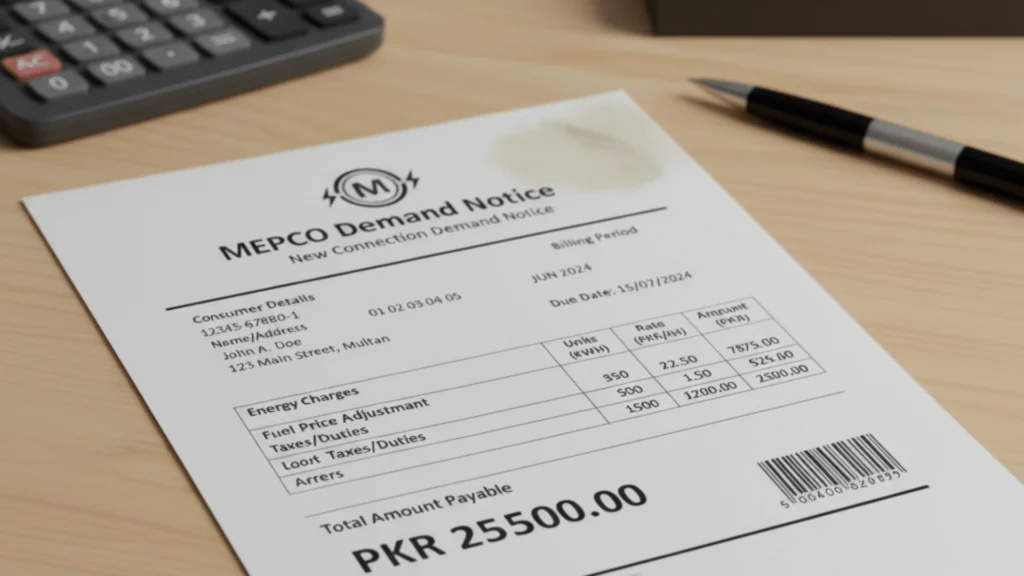
What’s Included in the Demand Notice?
- Connection Fee: Based on connection type (residential, commercial, industrial)
- Security Deposit: Held by MEPCO as a guarantee
- Service Charges: Covers wiring, inspection, and setup done by worker
- Meter Cost: Price of the meter itself
- Additional Infrastructure Costs: For high load or rural areas
How much does MEPCO Meter Installation cost in 2026?
Fee Estimates of MEPCO for 2026 in Pakistan is:
Connection Type | Estimated Fee (PKR) |
Residential (Single-Phase) | 9,500 – 20,000 |
Commercial (Single-Phase) | ~25,000 |
Residential (Three-Phase) | 90,000 – 110,000 |
Commercial (Three-Phase) | 150,000 – 160,000 |
Agriculture Tubewell | 500,000 – 1,000,000 |
These figures depend on your area which can be (urban vs. rural), load requirements, and infrastructure needs.
What is the Industrial MEPCO connection?
An Industrial MEPCO connection is a specialized electricity supply setup which is designed for factories, manufacturing units, and large-scale operations that require high electrical load and consistent power delivery 24/7.
It must meet the demands of industrial machinery, production Documents Required for Industrial Connection Application.
Required Documents to Apply for the Industrial Connection
Following are the documents that you need to have to apply for the industrial connection:
- Ownership proof of the premises/ property
- Attested CNIC copies of applicant and witnesses
- Power of attorney (if multiple owners)
- No Objection Certificate (NOC) from relevant authorities
- Load estimation report from a certified electrical engineer
- Environmental clearance (if applicable)
- Wiring contractor’s test report
- Industrial registration certificate (from relevant government body)
Connection Categories Based on Load Range
MEPCO (Multan Electric Power Company) classifies new electricity connections into three categories based on load requirements, each with its own approval, documents, authority and estimated processing time.
Category | Load Range | Voltage Level | Approving Authority | Estimated Processing Time |
Category 1 | Up to 15 KW | 230V / Single Phase or 400V / Three Phase | SDO / Assistant Manager Operation | 30 days |
Category 2 | 16 kW to 70 KW | 400V / Three Phase | Deputy Manager Operation | 44 days |
Category 3 | 71 kW to 500 KW | 400V / Three Phase | Manager Operation | 73 days |
Steps of Documentation & Installation for Category 1
For small homes and shops you need the category 1 connection. So following are the steps for the installation of connection that loads up to 15KW:
- Submit application (online or offline) with documents
- Site inspection and feasibility check through portal or office
- Cost estimation and demand notice issuance date
- Pay demand notice and submit wiring test report
- Meter installation by SDO
Steps of Documentation & Installation for Category 2
This connection is suitable for small factories, and workshops. The connection’s load range is between 16KW to 70KW. Follow the following steps to get this connection:
- Same as Category 1, but with more detailed load analysis
- Approval by Deputy Manager
- Slightly longer due to higher load and infrastructure checks
Steps of Documentation & Installation for Category 3
This connection (71KW – 500KW) is for large industrial units and large commercial setups. You can get this connection by following the given steps:
- Detailed engineering and environmental review
- Approval by Manager Operation
- May require transformer installation and extended site work
What is Reduction or Deduction of Load?
In MEPCO’s electricity system, Reduction or Deduction of Load refers to the process of officially decreasing the electrical load for a consumer.
This is typically done when a user no longer needs as much power or electricity then a factory downsizes or a business switches to energy efficient equipment in daily routine.
Criteria for MEPCO New Connection Charges (2026)
MEPCO calculates new connection charges based on several factors which are following:
- Location:It can be Rural or Urban
- Connection Type: Residential, Commercial, Agricultural, or Industrial
- Phase Type: Single phase or Three phase
- Property Size: Houses larger than 5 marla require three-phase connections
- Load Requirement: Higher load demands may require additional infrastructure
- Infrastructure Availability: Charges may increase if poles or transformers are needed in setup
Rural MEPCO Connection Charges
Rural MEPCO Connection Charges
Connection Type | Estimated Charges (PKR) | Notes |
Single-Phase (Domestic) | 9500 | For homes up to 5 KW load |
Three-Phase (Domestic) | 90,000–110,000 | Mandatory for houses above 5 marla |
Commercial (Single-Phase) | 25000 | For small shops or businesses |
Commercial (Three-Phase) | 150,000–160,000 | For larger commercial setups |
Agricultural Tubewell | 500,000–1,000,000 | includes poles, transformer, wiring |
Urban MEPCO Connection Charges
Connection Type | Estimated Charges (PKR) | Notes |
Single-Phase (Domestic) | 15,000 | Standard urban residential connection |
Private Colonies (Urban) | 20,000 | Higher due to infrastructure costs |
Three-Phase (Domestic) | 90,000–110,000 | Same as rural; mandatory for 5 marla |
Commercial (Three-Phase) | 150,000–160,000 | For larger commercial setups |
Urban charges are generally higher due to increased infrastructure and service demands.
FAQs
Conclusion
Applying for a new MEPCO electricity connection in 2026 has become super convenient. Thanks to the digital system and process of ENC Portal.
By following a few simple steps like submitting personal details, uploading required documents, and tracking your demand notice, you can avoid long queues and paperwork which is time consuming and hectic too.
Whether you’re in a rural village or an urban area this streamlined procedure ensures timely approvals and transparent billing, helping you power up your property with ease and confidence.